For iPhone and iPad
One grocery list for the whole household.
Listnik keeps your household's shopping list, the meals you make and this week's plan in one place, in sync on every iPhone and iPad the moment anyone changes it.
- Free list and sharing
- Live sync
- No ads, no tracking
What it does
Shop in one pass. Plan the week in minutes.
The list follows the store you're in. The meals you make live next to it, and the week's plan is a drag away.
Aisle order
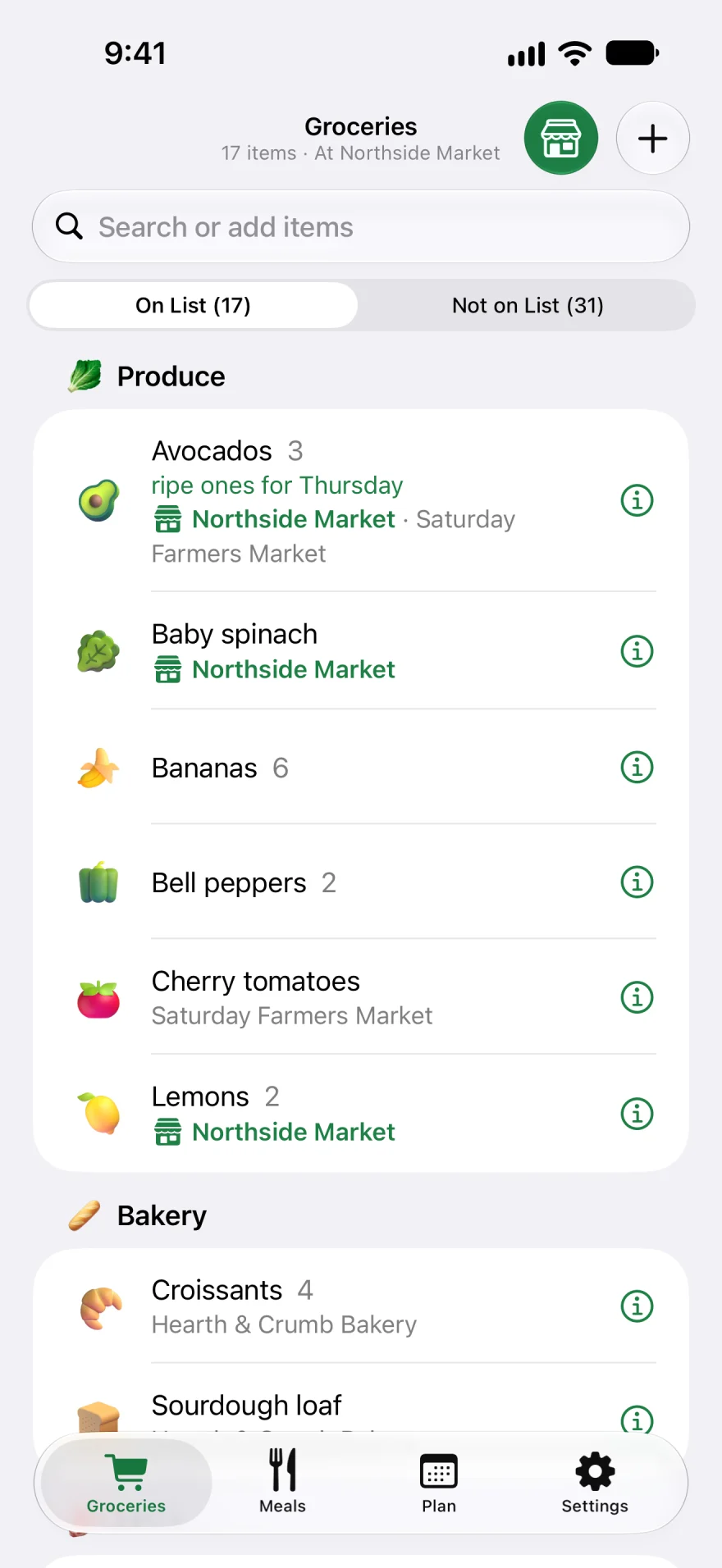
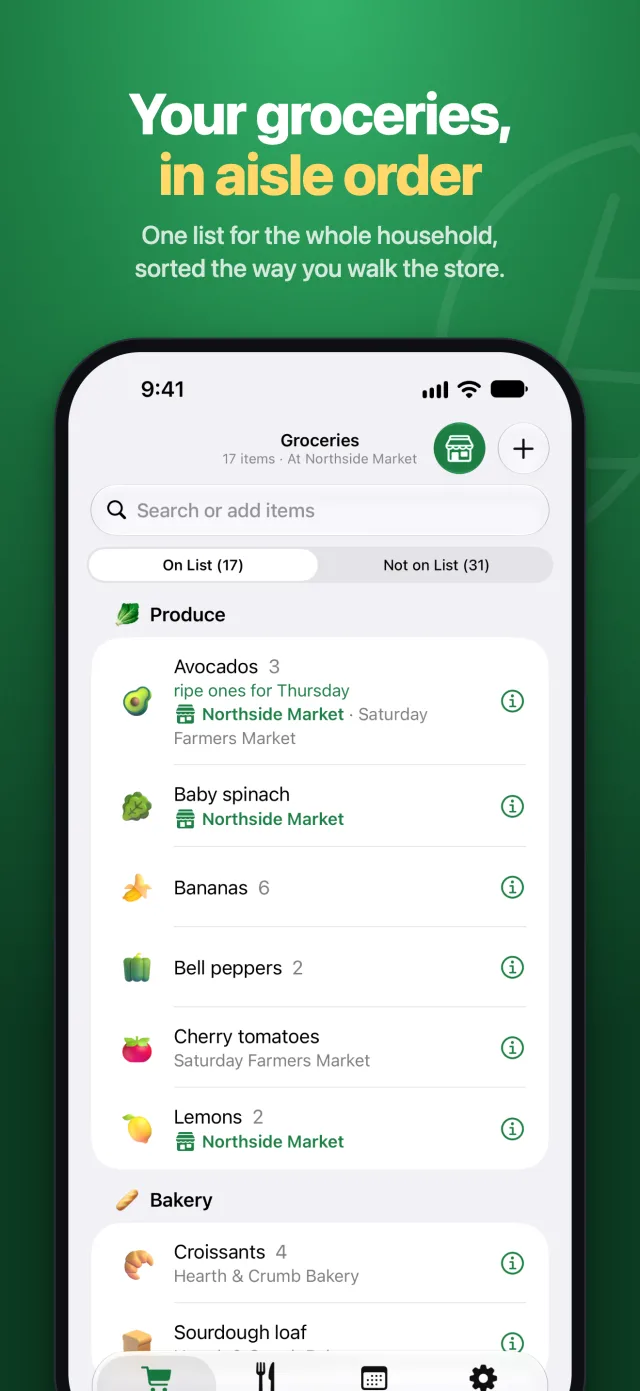
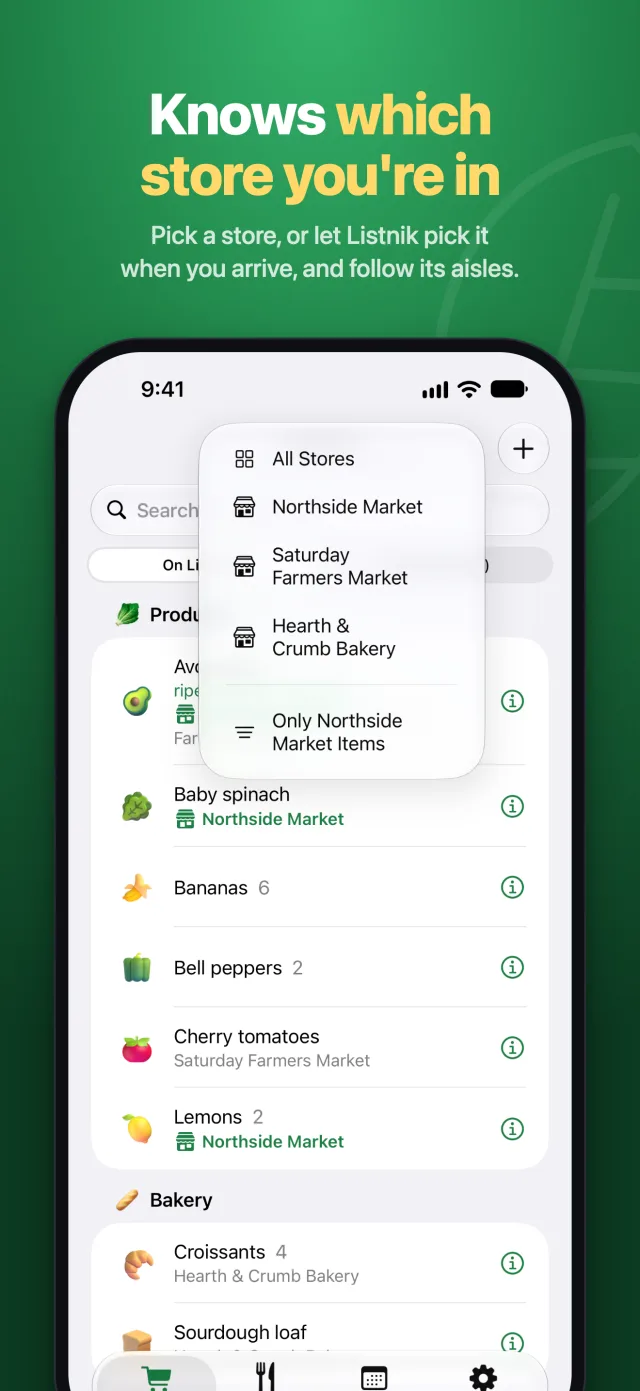
Each store keeps its own order of aisles, so the list walks you through it once, produce to cleaning supplies.
Live sync
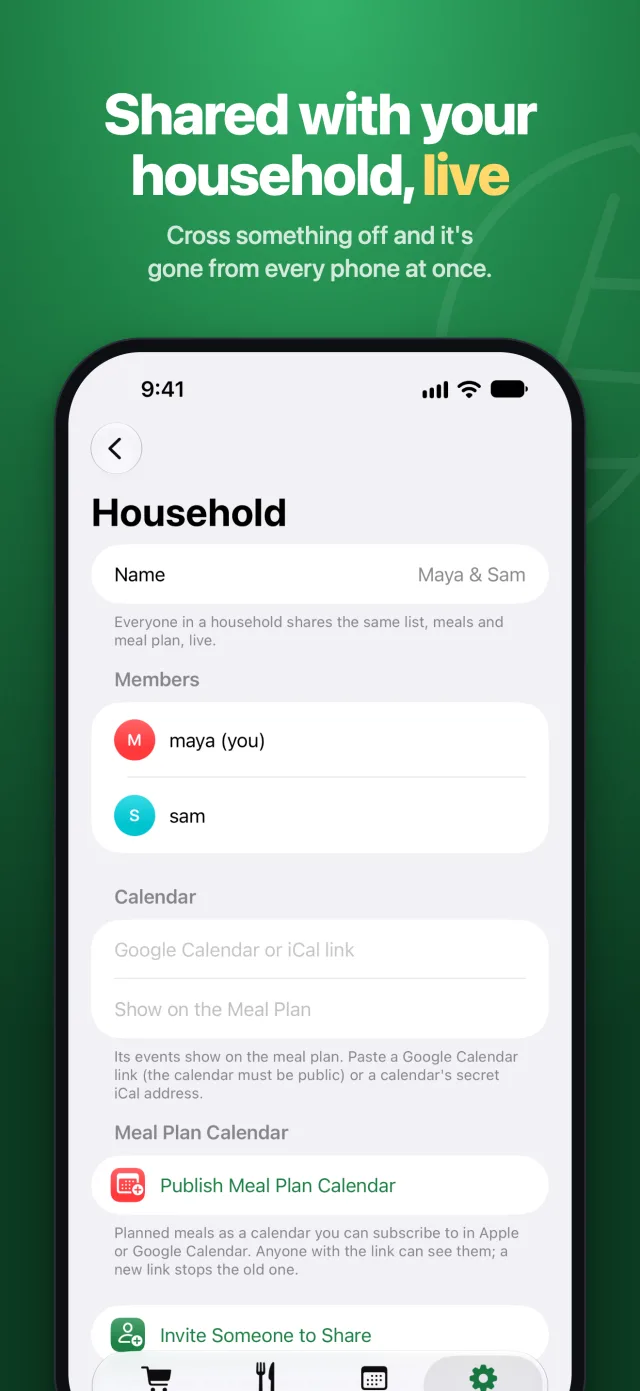
Cross something off and it's gone from every phone in the household within a second. Offline changes catch up on their own.
Knows the store
Pick a store, or let Listnik pick it when you arrive. Its items stand out, and crossing one off there remembers where you bought it.
One search
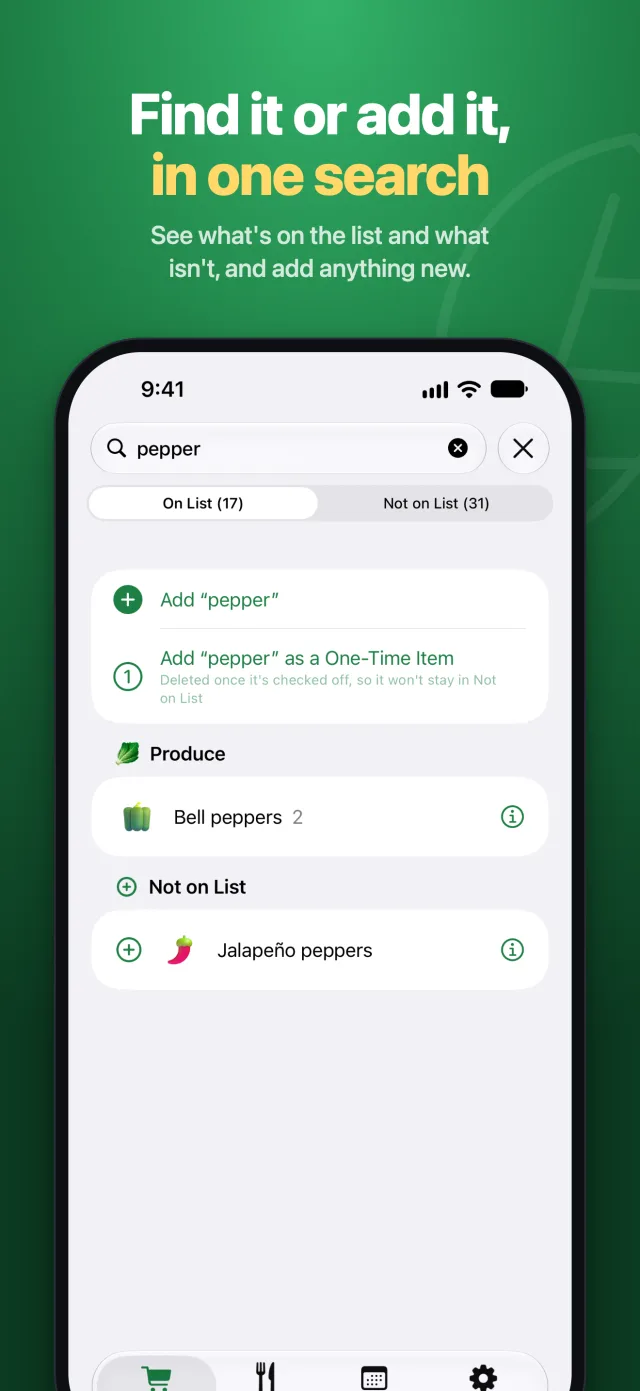
Search shows what's on the list and what isn't, and adds anything new, including one-time items that disappear once bought.
Meals and the week
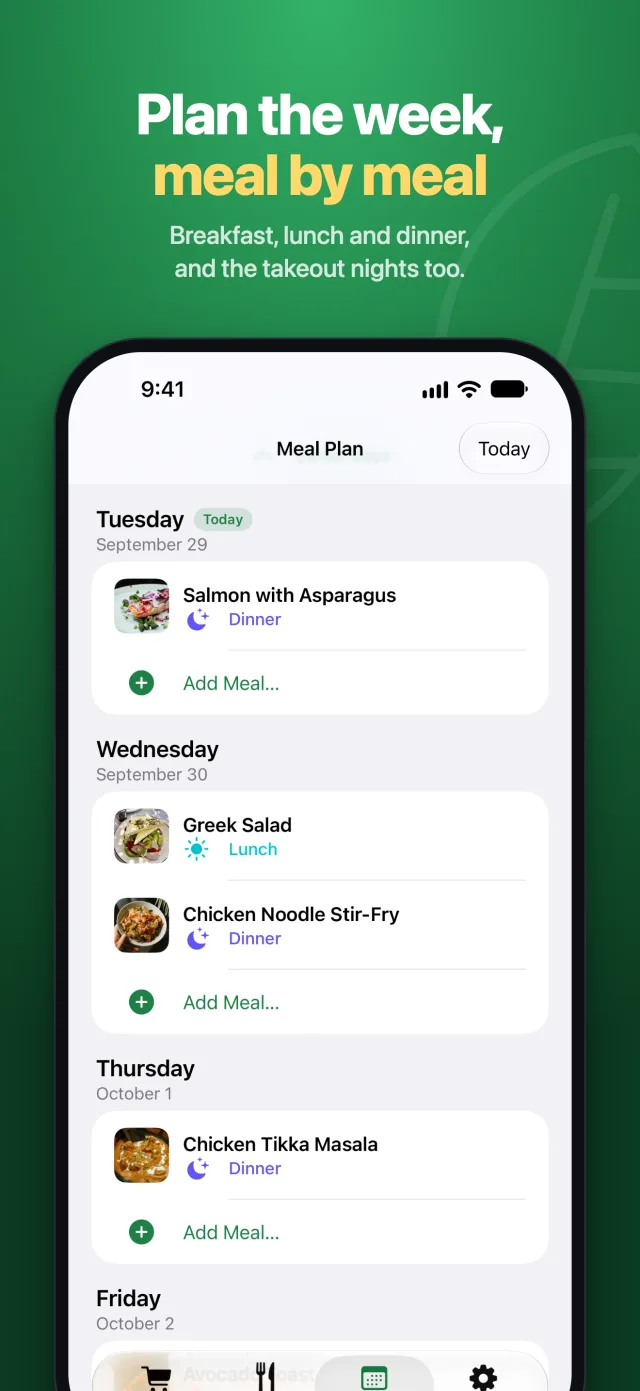
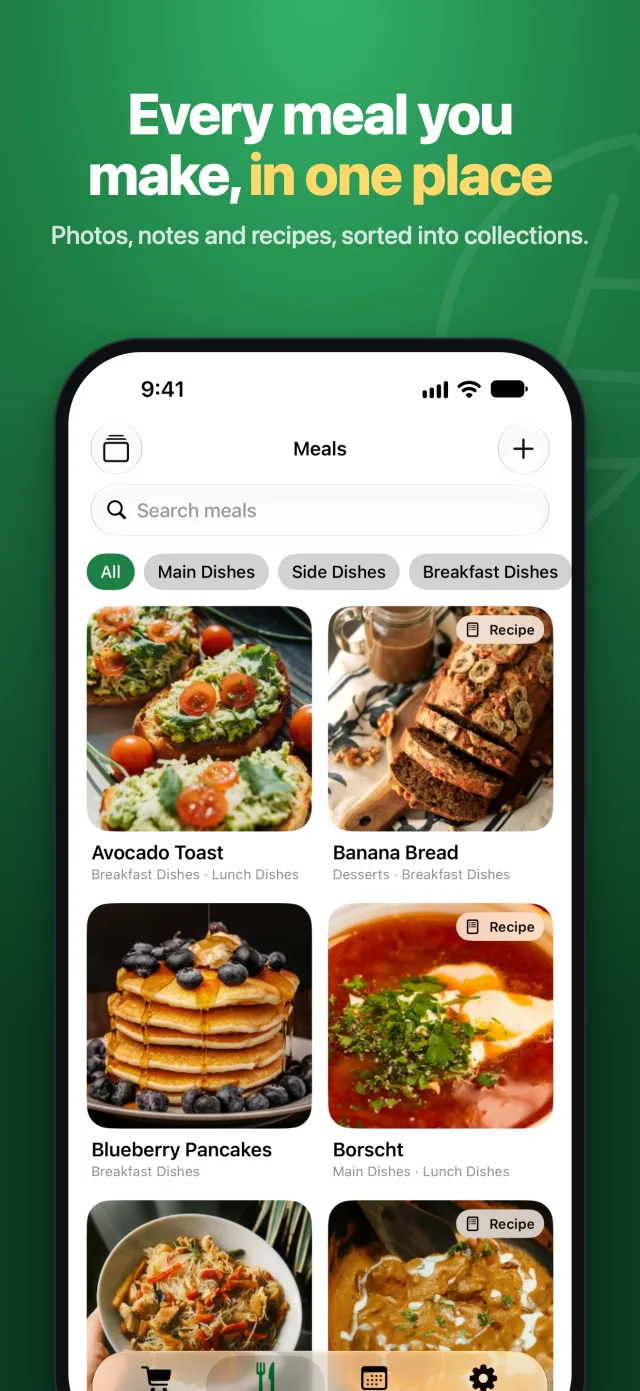
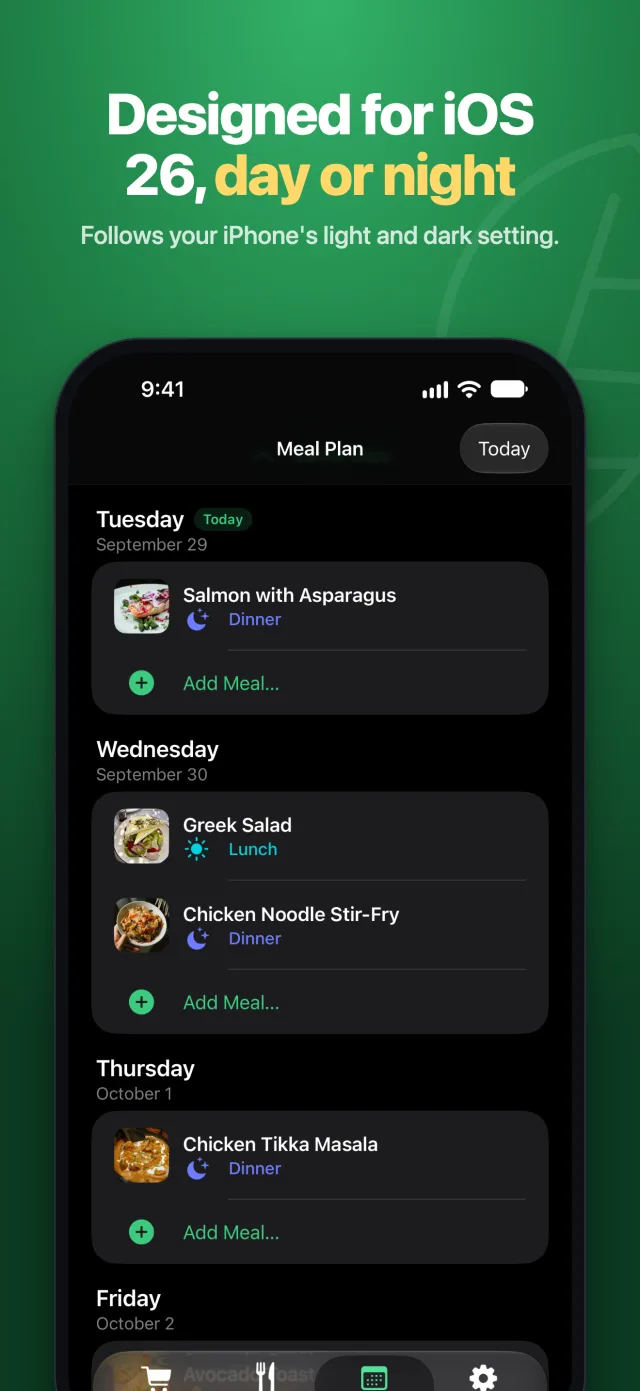
Keep the meals you make in collections, then plan breakfast, lunch and dinner by dragging them onto days. Takeout nights too.
AI categorizationPLUS
New items sort themselves into your categories, photos included, on any iPhone. Apple Intelligence does it on the phone for free where it can.
Recipes from postsPLUS
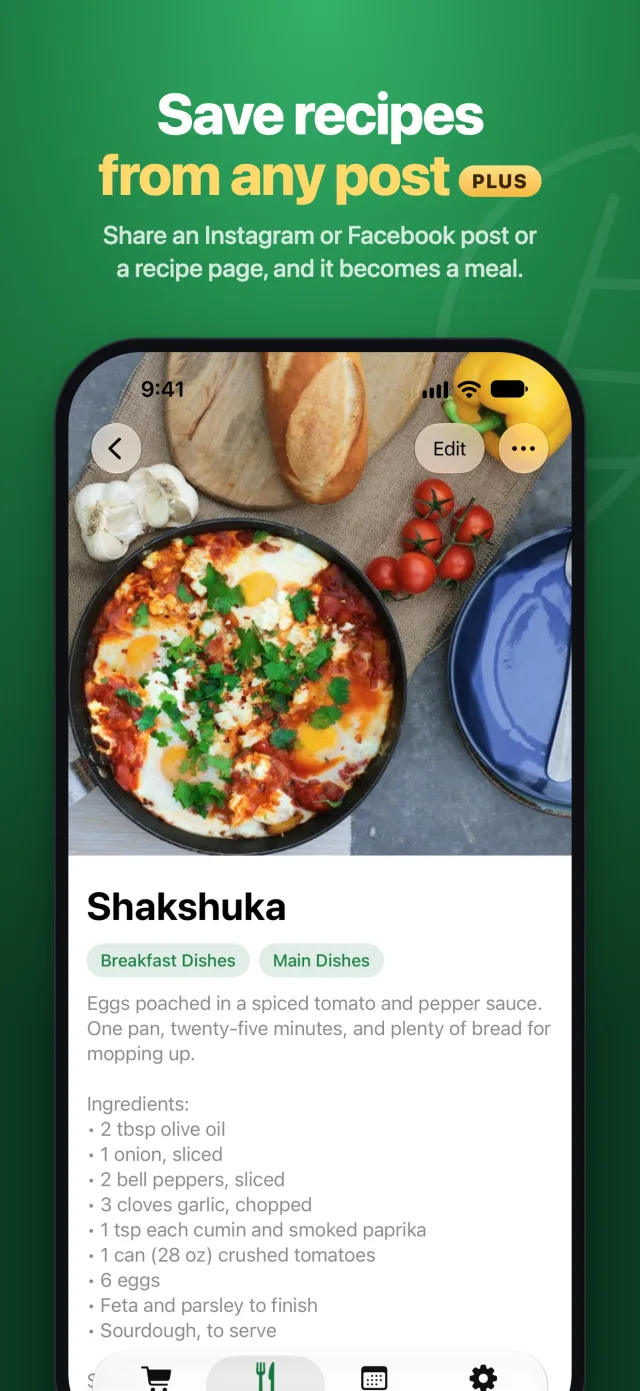
Share an Instagram or Facebook post or a recipe page to Listnik, and it becomes a meal with its photo, ingredients and steps.
PhotosPLUS
A photo on every item and meal, from the camera, your library or a web image search, so nobody buys the wrong one.
Your calendarPLUS
See a shared Google or iCal calendar beside the meal plan, or publish the plan as a calendar anyone can subscribe to.
On iPad
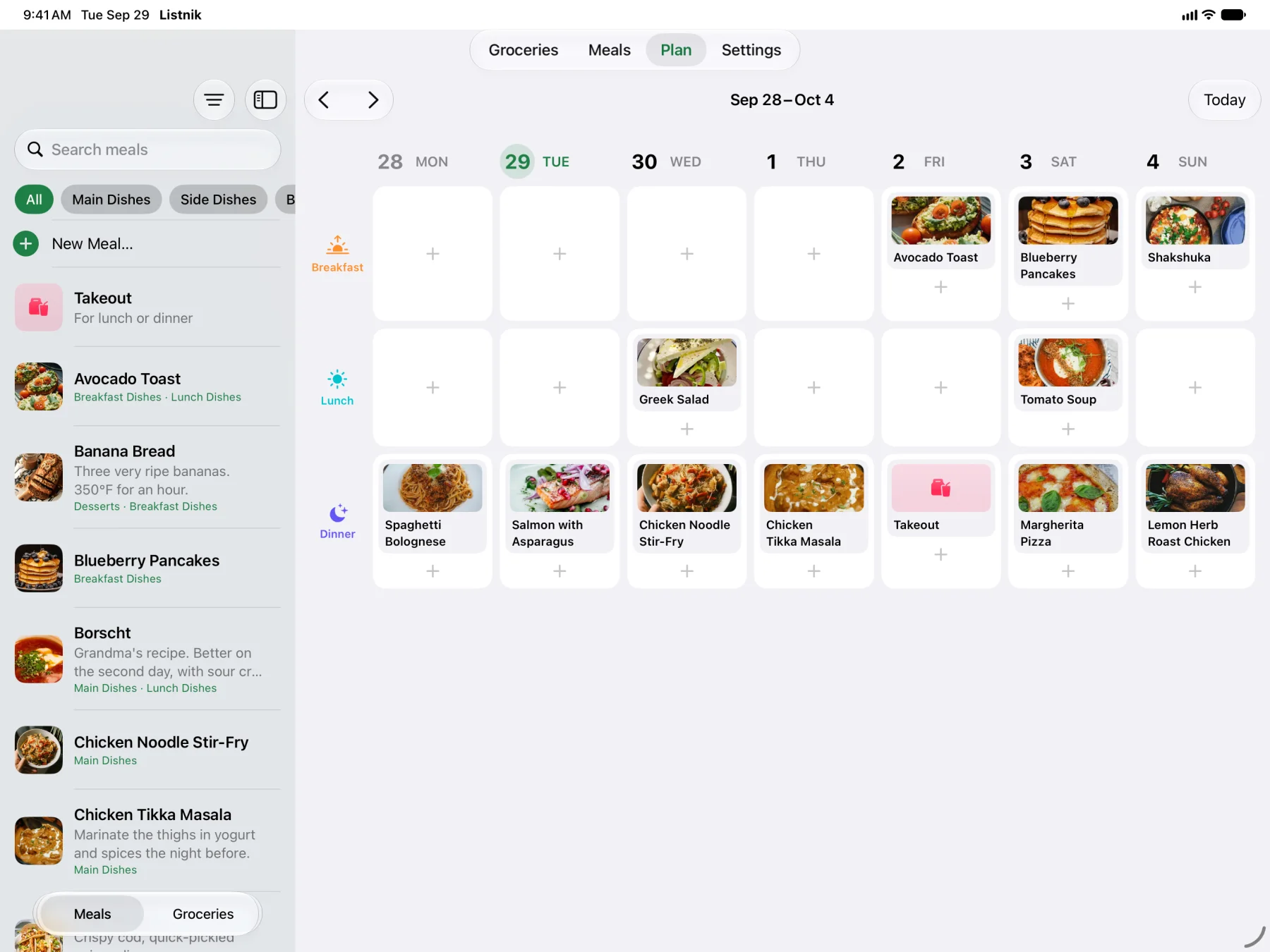
The whole week on one screen
Drag meals from your library onto the week board, with the grocery list a tap away beside it. Groceries show what's on the list and everything else side by side, in any orientation.
Free and Plus
The list is free. Plus adds AI, photos and recipes.
Everything a household needs to shop together is free, with no ads. Listnik Plus covers the parts that cost money to run: AI categorization, photo storage and recipe imports.
Free
$0
- The shared grocery list, with live sync
- Household sharing with an invite code
- Stores, aisle orders and Auto-Select Store
- The meals catalog and the meal plan, with the last 3 months of past plans
- Category suggestions from Apple Intelligence, on phones that have it
- The iPad layout, in light and dark
Listnik Plus
$9.99 a year per household
- AI categorization on every phone: new items, and items with photos, sorted into your categories automatically.
- Photos for items and meals: camera, photo library and web image search.
- Recipe import from Instagram and Facebook posts and recipe pages, with Share → Listnik.
- Calendars beside the meal plan, and the plan published as a calendar to subscribe to.
- Full meal plan history, and how often you've made each meal.
One subscription covers everyone in the household, whoever subscribes.
For assistants and automations
An open API, with a guide for AI
Everything the app does, the API does too. Create a token in Settings and let Claude, ChatGPT, Home Assistant or your own scripts read the list, add items and plan meals. An llms.txt guide explains the API to AI assistants.
# Put bananas on the list, from anywhere
curl -X POST https://listnik-api.ilyav.net/api/items \
  -H "Authorization: Bearer lsk_…" \
  -H "Content-Type: application/json" \
  -d '{"name": "Bananas", "amount": "6"}'

# How much is on the list?
curl https://listnik-api.ilyav.net/api/summary \
  -H "Authorization: Bearer lsk_…"
Privacy
Your list, not an ad profile
Listnik keeps your household's list on its server so every phone stays in sync. That's all it's for. Read the privacy policy.
- No ads, no tracking, no analytics. There's no advertising or analytics code in the app.
- Only your household sees your list. Your data is never sold or shared with advertisers.
- AI on the phone first. Apple Intelligence runs on your iPhone. The server's AI only gets what it needs to suggest a category or read a recipe.
- Your location stays on the phone. Auto-Select Store compares where you are with your stores on the device, and it's off until you turn it on. Only a store location you save is sent.
Questions
Frequently asked
How does sharing work?
In Settings → Household, tap Invite Someone to Share and send the code. Whoever signs up or joins with it shares your list, meals and meal plan, and sees every change live.
Does everyone need an iPhone?
Listnik runs on iPhone and iPad with iOS and iPadOS 26 or later. There's no Android app yet. The API works from anywhere, so a voice assistant or an automation can still add to the list.
Does it work offline?
Yes. Changes are saved on the phone right away and sent in order once it's back online, and the list you had stays readable in a store with no signal.
Do I need Apple Intelligence?
No. On phones with Apple Intelligence, new items are sorted into your categories on the phone, for free. With Listnik Plus, AI categorization works on every phone and for items with photos; without either, you pick a category yourself.
What does Listnik Plus cost?
$9.99 a year, renewing yearly until you cancel. One subscription covers the whole household, and the grocery list, sharing and meal plan stay free without it.
Can I organise more than one store?
Yes. Each store is one place with its own aisle order and, if you like, its location. Two branches of the same chain are two stores, since their aisles differ.